GoLead is like an e-mail app, so it needs to link to the account you register with
Ideally this would be your personal business address, already set up on your phone's mail app
If you're just testing or this isn't set up/arranged yet, Yahoo accounts are the easiest to set up - if you have one and know the password, great. If you don't, quickly set one up here
If you only have a generic custom address like info@johnsbits.co.uk, consider adding/changing to a more personal one, like john@johnsbits.co.uk in the future
Okay
That's it!
Well done :)
Now you've got the hang of that, start your journey by entering details over the next few pages
Remember, if you're stuck, click the '?'
Okay
Why connect to e-mail?
Without linking to an account I can't show you the power of GoLead quickly
Why Yahoo? It's third party access is simple yet secure, so it's best for users who can't recall or don't know all of their e-mail details
Why not Gmail(also serving wix.com) or Hotmail? Google and Microsoft have aggressive and extensive protocols for linking their accounts with third-parties, for good reason, but to keep GoLead's setup as easy and affordable as possible, restricting free registration accounts is the only way around this for now
Okay
If you came here from Facebook or Instagram
AND
This is the first time you're seeing this page
Click here
Otherwise, click here
Open in / with
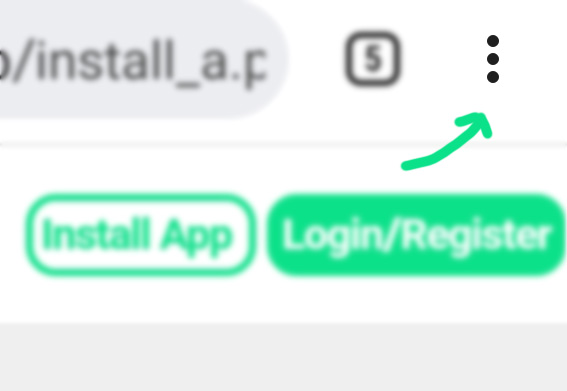
1) Tap the three dots at the top right of your screen (scroll up if you can't see them)
For iPhone, select Open in browser / Safari
For Android, select Open in browser / Open with, then Chrome
There's no Open in/with option
Register
Hi! I'm the GoLead Automation Bot :)
I'll be helping getting you set up today. Bleep-bloop!
Okay
Getting Help
If you're having any trouble, tap the green question marks for more information
Let's practice this now. Hit the ? below to continue
?
Who's GoLead for?
First off - orientation...
What type of customers could get the most out of GoLead?
If you're a small business owner or sole trader with a contact form already on your website...
GoLead is definitely for you
Okay
Custom e-mail / domain
Do you have a paid / custom e-mail / domain, or do you use a Gmail, Hotmail or Yahoo
account for your business e-mails?
If you use one of the free providers, GoLead might *not* be for you
I have a custom domain
I don't have a custom domain but I'm open to getting one
Quick reminder, once your account is setup and you're confident GoLead will help you, the goal is to add your new, customisable GoLead contact form to your site, linked to your phone, and my automation magic!
Got it, let's go!
What's your name?
Your Business
Next
GoLead's Essential Setup takes 10 minutes to complete
You gotta spend a little time... to save a TON of time!
Do you have at least 10 minutes spare right now?
Yes, I do!
Not really
That's a shame!
We'll hit you up later
Enter your e-mail address and one of our Account Managers will be in touch
Sounds good
Go back, I have time
E-mail registration
After you register, for my automation to work I need to link with your registration e-mail account
**Please pay attention and answer the following questions accurately or we'll get stuck**
Do you have an e-mail account you can remember the password for?
Yes
No
Is it from Google, Microsoft or Yahoo?
Does the e-mail account you remember the password for end with gmail.com, yahoo.com/co.uk, hotmail.com/co.uk or outlook.com?
Yes
No
Remember another?
Do you remember the password for another e-mail account which isn't a Gmail, Yahoo, Hotmail or Outlook.com address?
Yes
No
Wix.com?
Did you set this e-mail account up through a web builder like Wix.com?
Yes
No
Who hosts it?
Do you know who hosts your e-mail address (possibly including your website)?
Some examples would be 1and1.co.uk, godaddy.com, 20i.com, 123reg.co.uk etc.
Yes
No / not sure
Use free providers
The best way to get you set up and demonstrate GoLead fastest is to register with an e-mail address you know the password for from Gmail, Hotmail, Yahoo or Outlook
If you don't have an account with any of these or don't remember any passwords, click here